How to Set Up a Home Office That Impresses Clients and Grows Your Business
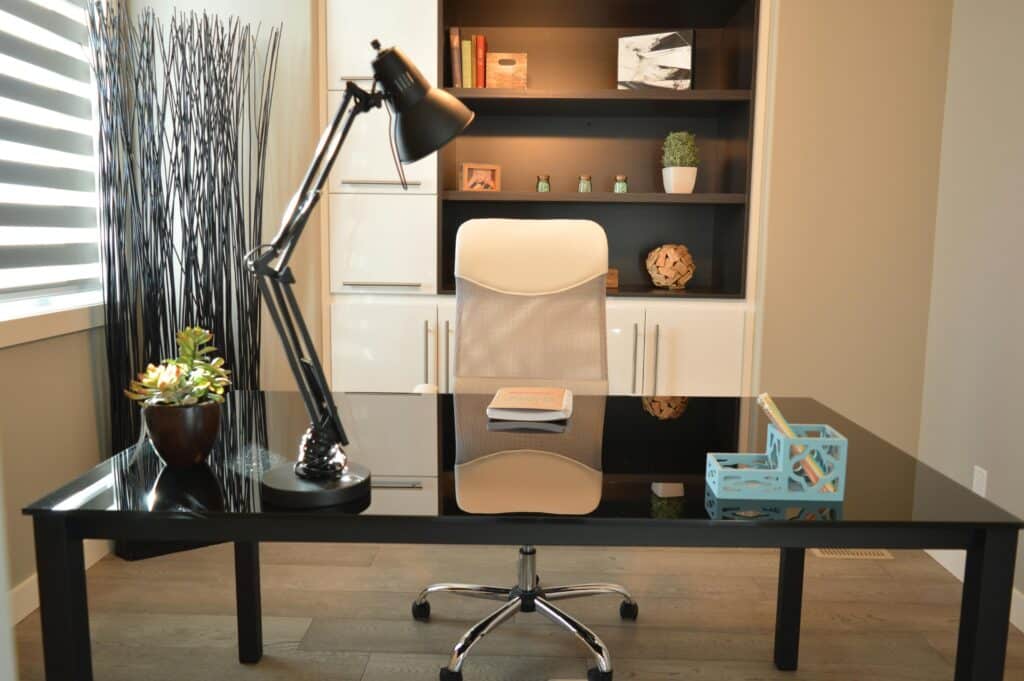
Home-based entrepreneurs and e-commerce owners often do great work, yet a messy or makeshift client meeting space can quietly raise doubts before a single word is said. The tension is real: the small business workspace has to function for daily tasks while still looking credible on camera and calm in person, and that’s hard when life and inventory share the same walls. A professional home office setup creates a clear, consistent first impression across virtual client interactions and occasional drop-ins. When the space feels intentional, clients spend less time scanning for red flags and more time focusing on the value being offered.
Quick Summary: Home Office That Wins Clients
- Focus on client impression factors like a tidy background, good lighting, and clear audio.
- Set up virtual meeting basics with reliable internet, a stable camera angle, and simple on-brand visuals.
- Choose home office essentials that look professional and support comfortable, productive work.
- Follow step-by-step workspace organization before rearranging to reduce clutter and speed daily routines.
Set Up a Client-Ready Home Office, Step by Step
This process helps you create a home office that looks credible on calls, feels comfortable to work in, and quietly supports sales, referrals, and repeat business. For entrepreneurs and small business owners, a polished space reduces friction during client conversations and makes your brand feel more established.
- Plan your layout for focus and framing
Start with a simple sketch of where your desk, chair, and camera will face, then choose a background that looks tidy and intentional. Use what should my office space communicate as your filter so your space signals the right vibe, whether that’s premium, creative, or ultra-efficient. - Choose ergonomic furniture you can adjust fast
Pick a chair with adjustable height and support, and set your desk so your shoulders stay relaxed while typing. Prioritize pieces that support proper posture so long work blocks do not steal energy you need for marketing and client delivery. - Integrate tech that removes meeting friction
Confirm reliable Wi-Fi, then set up a webcam at eye level, a clear mic, and one extra light or monitor if it improves your workflow. Do a two-minute test call to check framing, audio, and screen sharing, because “it just works” creates instant trust. - Dial in lighting for video calls and stamina
Place your main light in front of you, slightly above eye level, and avoid bright windows behind your head. Aim for lighting that mimics the natural flow of daylight so you look clearer on camera and stay sharper through afternoon calls. - Add light branding and calm the sound
Keep branding subtle: a single brand color in a notebook, a framed print, or a neat product sample on a shelf is enough. Reduce echo with a rug, curtains, and a soft chair pad, then close door gaps with a draft stopper so your voice sounds steady and professional.
Habits That Keep Your Office Client-Ready
A great setup only helps your business if it stays reliable week after week. These habits make your space camera-ready, reduce distractions, and support consistent marketing and client delivery without big cleanup marathons.
Two-Minute Desk Reset
- What it is: Clear the desktop, close extra tabs, and set one priority sticky note.
- How often: Daily, before your first client touchpoint.
- Why it helps: You start sharper and sound more decisive on calls.
Weekly Declutter Sprint
- What it is: Run weekly decluttering sessions for papers, cables, and random desk clutter.
- How often:
- Why it helps: Your backdrop stays intentional, not accidentally chaotic.
Friday Maintenance Scan
- What it is: Check bulbs, chargers, Wi-Fi speed, chair screws, and squeaky doors.
- How often: Weekly, end of day Friday.
- Why it helps: 49 per cent productivity hampered is a reminder that small issues add up.
Client Call Launch Checklist
- What it is: Wipe the lens, test mic levels, and open the right files.
- How often: Every call.
- Why it helps: You remove friction and protect momentum in the conversation.
Quiet Close Routine
- What it is: Tidy one surface, empty the trash, and reset tomorrow’s water and notebook.
- How often: Daily, after your last work block.
- Why it helps: You end clean and restart fast the next morning.
Quick Answers for Home Office Stress Points
Q: What are some effective ways to organize a home office to minimize distractions during client meetings?
A: Create a “meeting-only” zone: clear desktop, silence notifications, and keep a single notepad and agenda visible. Face your camera toward a blank wall or tidy shelf, and use a small bin to hide loose items fast. A simple door sign or boundary phrase helps family members know when you are client-facing.
Q: How can I create a welcoming atmosphere for both in-person and virtual visitors in a small space?
A: Aim for clean, consistent, and intentional: soft lighting, one plant, and a clutter-free background. For virtual calls, set your camera at eye level and keep one warm lamp in front of you. For in-person, offer a clear chair, a coaster, and a path that does not pass laundry or storage.
Q: What practical tips can help balance work tasks with home life when working from a home office?
A: Time-block your day with two or three focused work sprints and a defined shutdown time. Put high-stakes client work in your quietest window, then reserve lighter admin for noisier hours. If stress spikes, do a 60-second reset: stand up, breathe, and write the next single action.
Q: How can I ensure that my technology setup runs smoothly to avoid interruptions during important video calls?
A: Use a pre-call checklist, starting with sending the correct link and testing audio in the same app you will use live. Keep a backup plan ready: phone hotspot, wired earbuds, and a second browser tab with your key notes. With many owners now attending 35-45 virtual meetings a week, small reliability tweaks quickly reduce anxiety.
Q: What should I consider if unexpected repairs or appliance breakdowns at home disrupt my ability to conduct client meetings effectively?
A: Decide in advance where you will relocate for 60 minutes, such as a quiet bedroom corner or a nearby workspace, so you are not improvising under pressure. Protect client privacy by keeping sensitive papers in a lidded file box and using headphones whenever contractors are nearby. If breakdowns are a recurring stressor, some homeowners use home warranty coverage, like these options, to help buffer the cost and scheduling disruption of normal wear-and-tear repairs.
One Client-Ready Home Office Upgrade You Can Do Today
Running a business from home can feel like a tug-of-war between “good enough” and the polished presence clients expect, especially when tech hiccups and privacy worries pop up. The steady approach is simple: focus on one clear improvement at a time, so your space supports your work instead of competing with it. Do that consistently, and client trust building becomes easier, small business professionalism feels natural, and the entrepreneur workspace benefits show up in a calmer, more productive work environment. A focused home office improvement motivation turns small fixes into client confidence. In the next 30 minutes, pick one high-impact upgrade you can finish today and set it up before your next meeting. That one choice compounds into better focus, fewer disruptions, and steadier growth week after week.
Below are a couple of related resources that dive deeper into building a professional environment that strengthens client confidence and supports business growth.
- How to Win Hesitant Buyers by Building Trust and Reducing Risk
- Creative Marketing: How Small Businesses Can Use Creativity to Spark Fresh, Engaging Marketing
Please note that this DailyWebTalk blog is for informational purposes only.
Feel free to reach out using our contact form if you are a freelance writer and wish to post on our blog.